Pipedream is an integration platform for developers with which you can build and run workflows using the Gorgias API. Use 1000s of open-source triggers and actions across 700+ apps or write custom code to integrate any app or API in seconds.
Steps
1. In Gorgias go to Settings -> App Store -> All Apps.
2. Find Pipedream and click on it.
3. Click on Connect App.
4. Choose one of the use-cases from the list and click on Get Started (we used creating a ticket in Gorgias using Typeform as an example).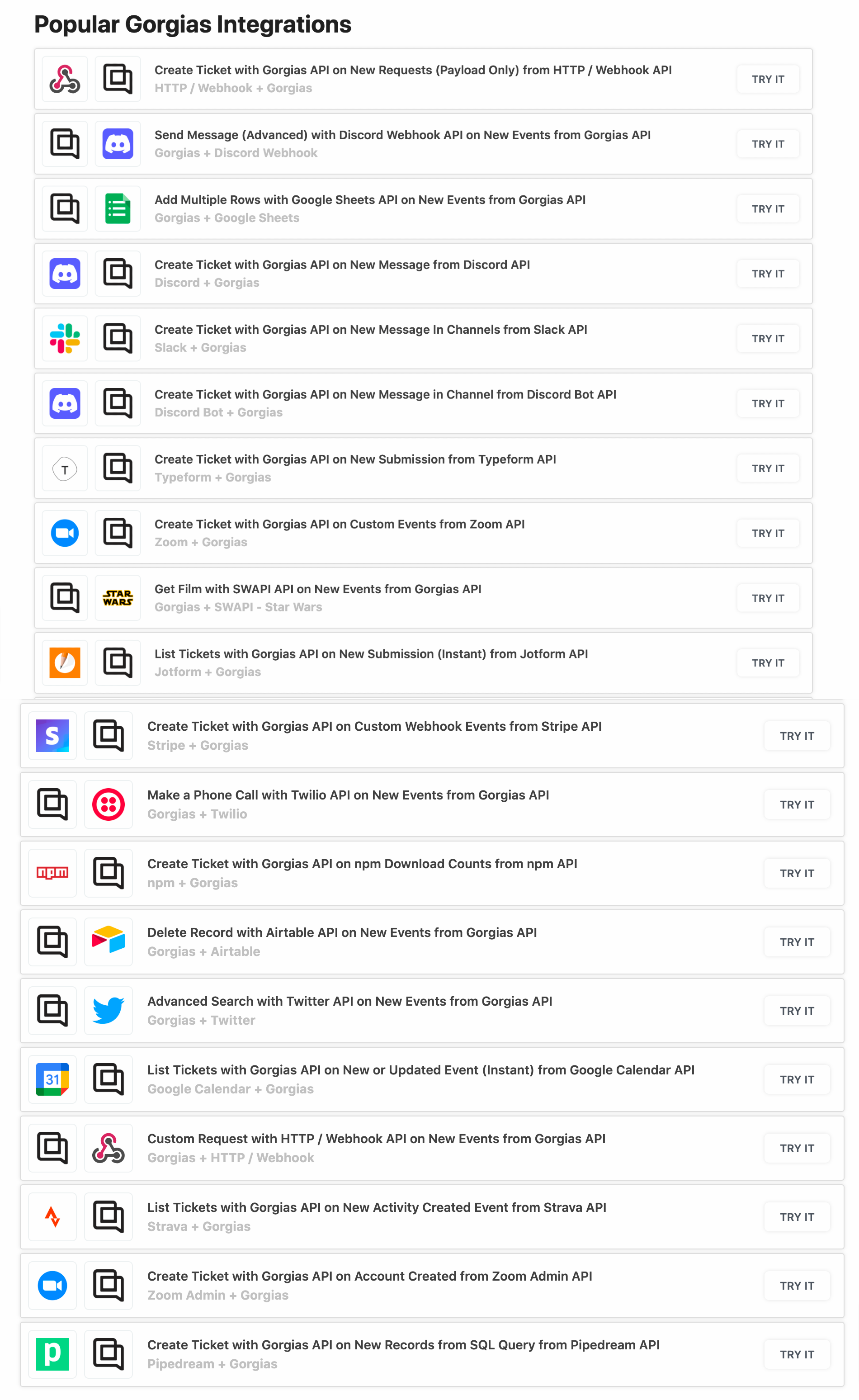
5. Login to your Pipedream account.
6. Create your trigger: choose your Typeform Account, a specific Form you’d like to create tickets in Gorgias with, write a Name for the trigger, and click on Create source.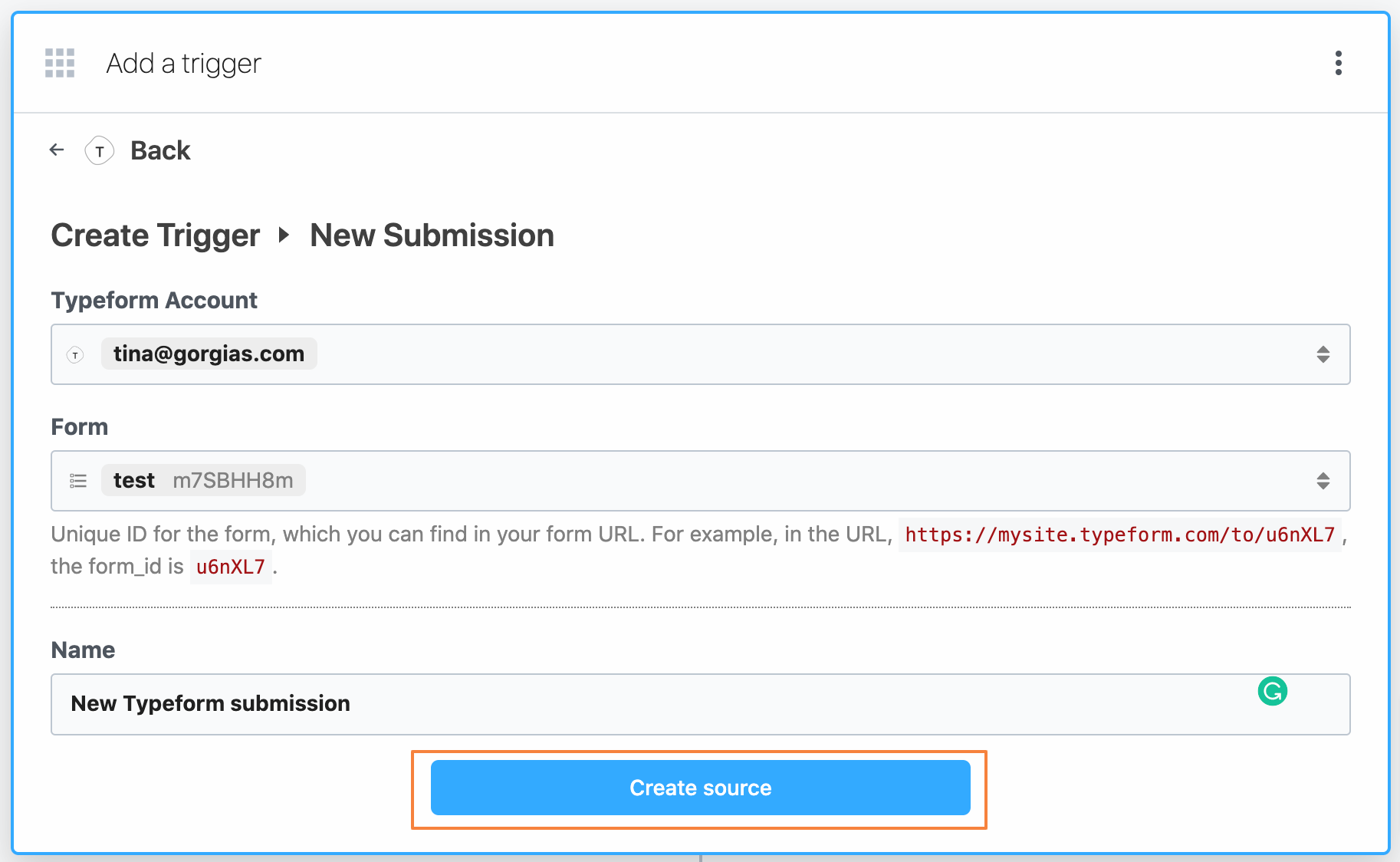 7. Choose an event (if the event section is loading for too long, force create an event by submitting a test for the form you’ve selected).
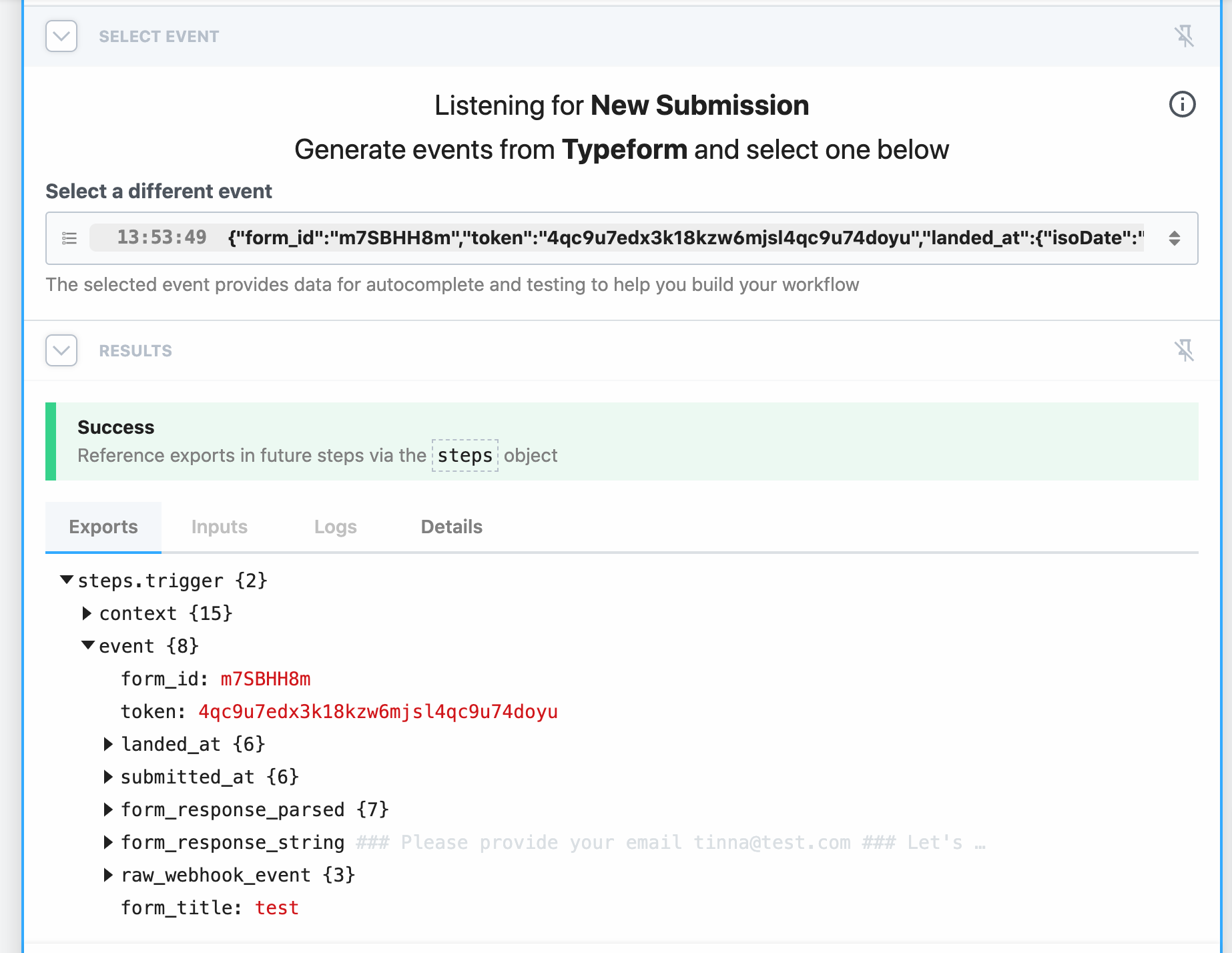 8. Create your action and connect your Gorgias account to Pipedream by pasting fields from Settings -> You -> REST API.
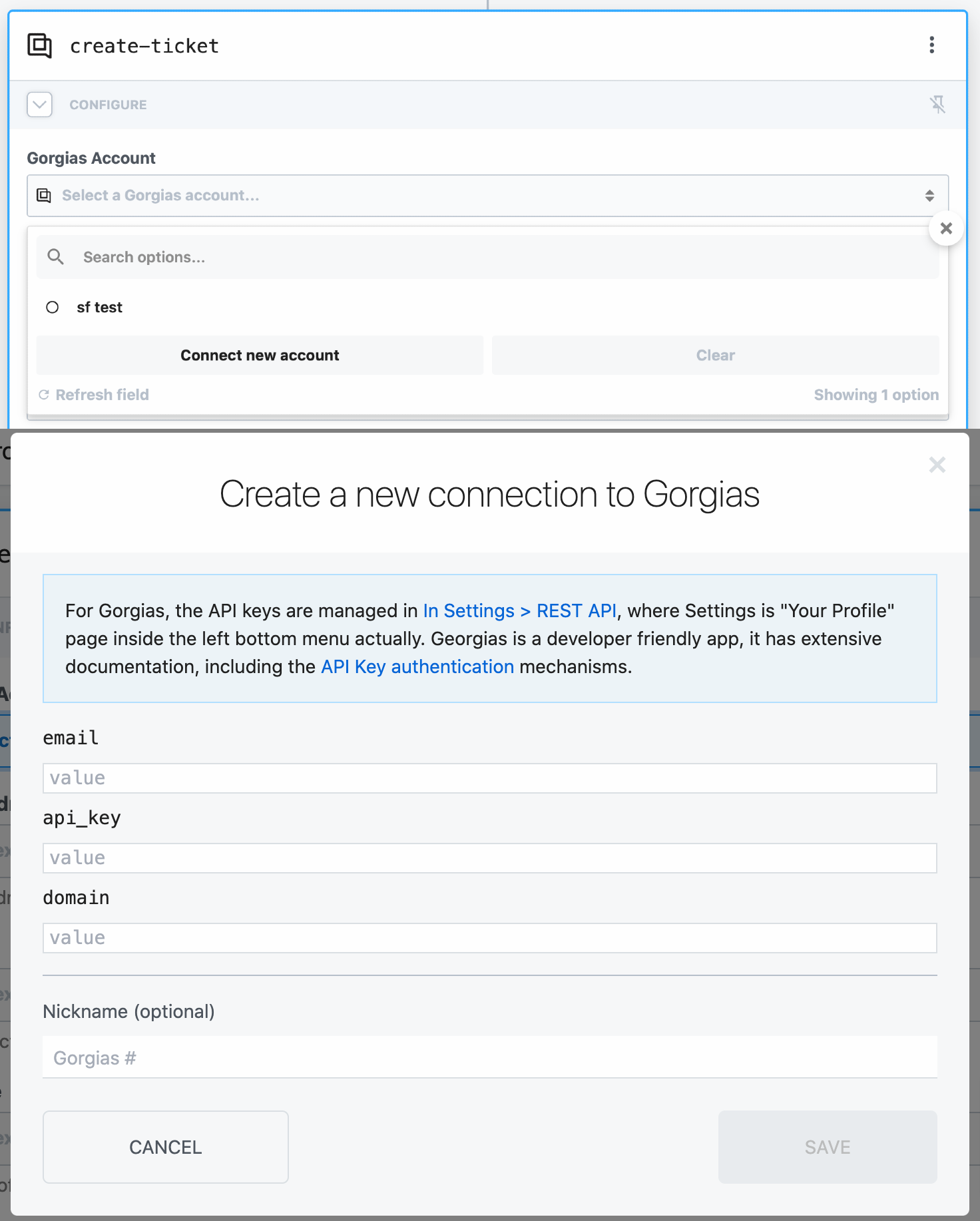 9. Add all of the necessary fields for creating a ticket in Gorgias (you can also choose from the variables section that was created during testing the trigger).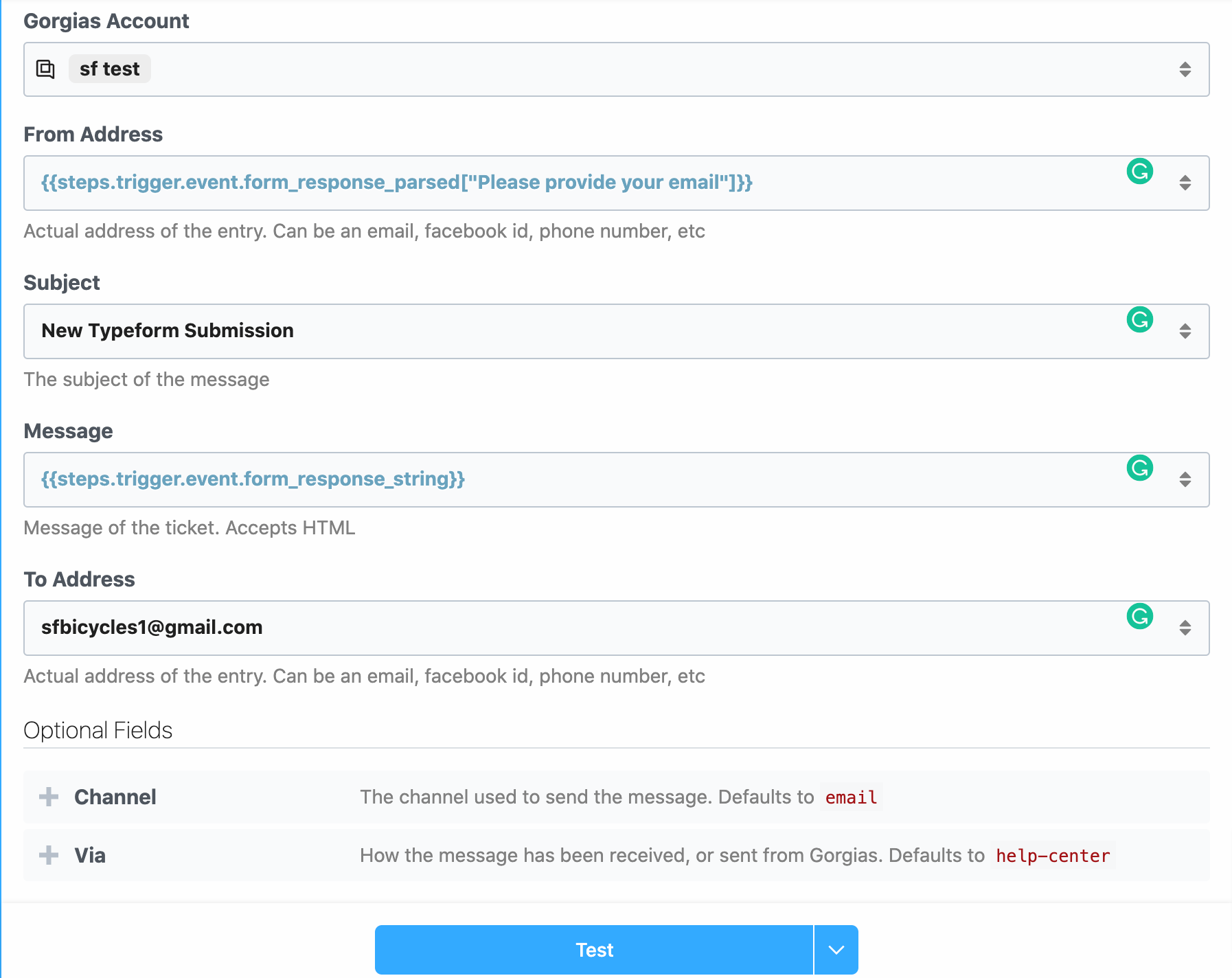
10. Test the action and deploy the workflow.