This integration was built by our partners and the wait time in case of any technical issues might be a bit longer than for a regular support request.
PrettyDamnQuick lets you set your preferred delivery options in checkout and then deliver every order on time with any delivery service (even 3PLs and last-mile carriers).
With the PDQ and Gorgias integration, you will be able to:
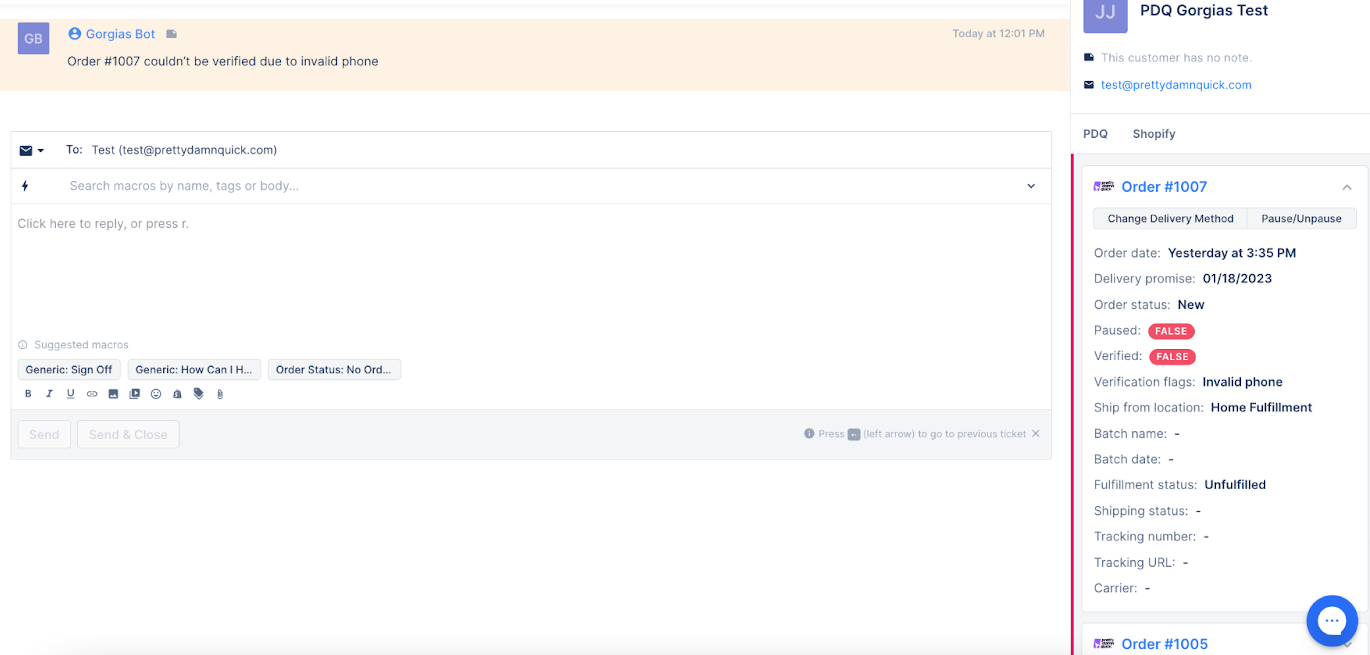
- Pull PDQ order information to the customer's sidebar in Gorgias
- Pausing orders, modifying shipping methods directly from Gorgias
- Create tickets in Gorgias based on triggers set in PDQ (late delivery, shipping status change, etc.)
Steps
1. Go to Settings -> App Store -> All Apps.
2. Find Ship & Deliver PrettyDamnQuick on the list and click it.
3. Click on the Connect App button in the top right corner.
4. Log in to your PDQ account and select your store.
5. Authorize the app.
6. Toggle the widget setting on.
7. Build your first Quickflow recipe using a template.
That's where you define what you want to happen when a specific action takes place (for example: If an order is expected to arrive late then create a ticket in Gorgias):