Vellix AI Assist helps customer support teams write better responses faster with AI-powered suggestions and quality improvements. Unlike traditional AI support tools that charge 400-900% markups on API costs, Vellix uses a transparent Bring Your Own Key (BYOK) model where you pay OpenAI directly and only pay us for platform features.
Integration benefits
- Eliminate 900% vendor markup. BYOK model: pay OpenAI directly ($1-3/agent/mo) + subscription ($20-$499/mo). Save 74-98% vs. per-message pricing competitors.
- Improve message quality with AI spell, grammar, and tone enhancement. Diff view shows what changed. Human-in-the-loop prevents errors. Maintain brand voice, boost CSAT.
- Comprehensive team analytics: agent performance metrics, message quality scoring, and before/after analysis. Prove ROI with data. Custom prompts ensure brand consistency.
Steps
- From your Gorgias account, head to Settings → App Store → All Apps
- Find Vellix AI Assist on the list
- After selecting the app, click on the Connect App button
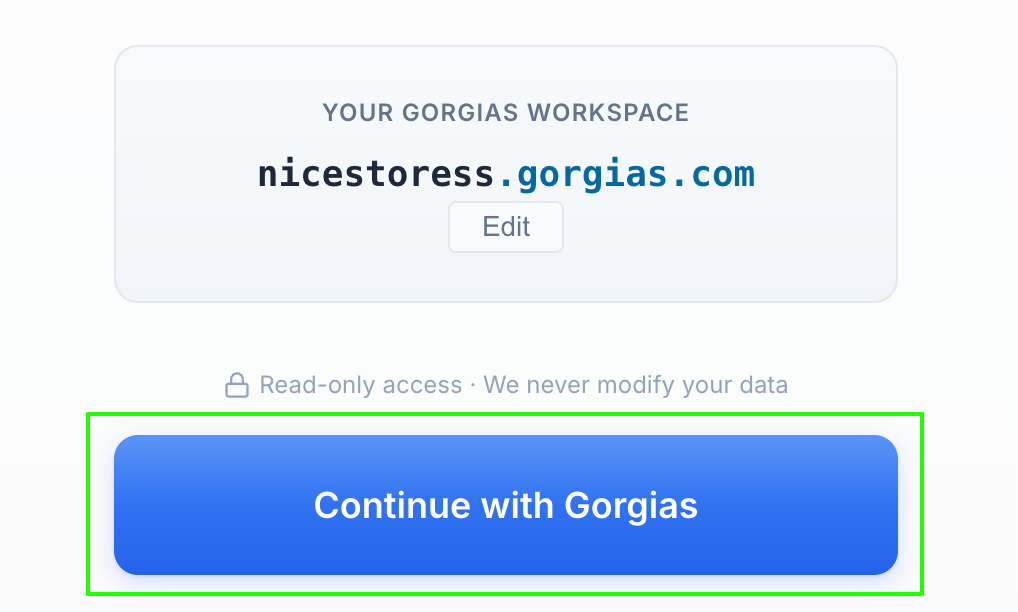
- In the Vellix app, click on the Continue with Gorgias button:
- Authorize the app
- Once installed, there will be no HTTP integration created!
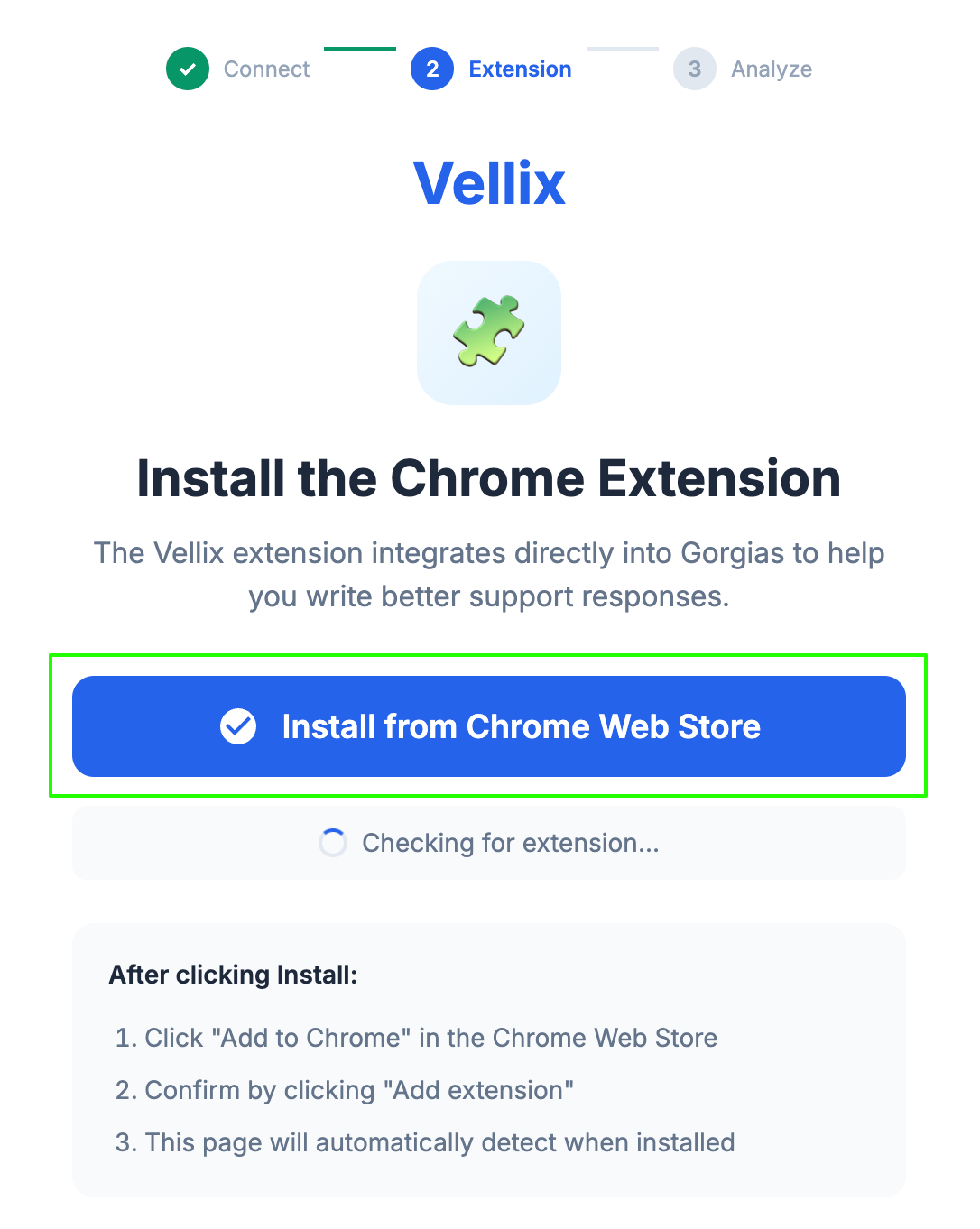
- After that, install the Chrome extension, then select Continue To Analysis:
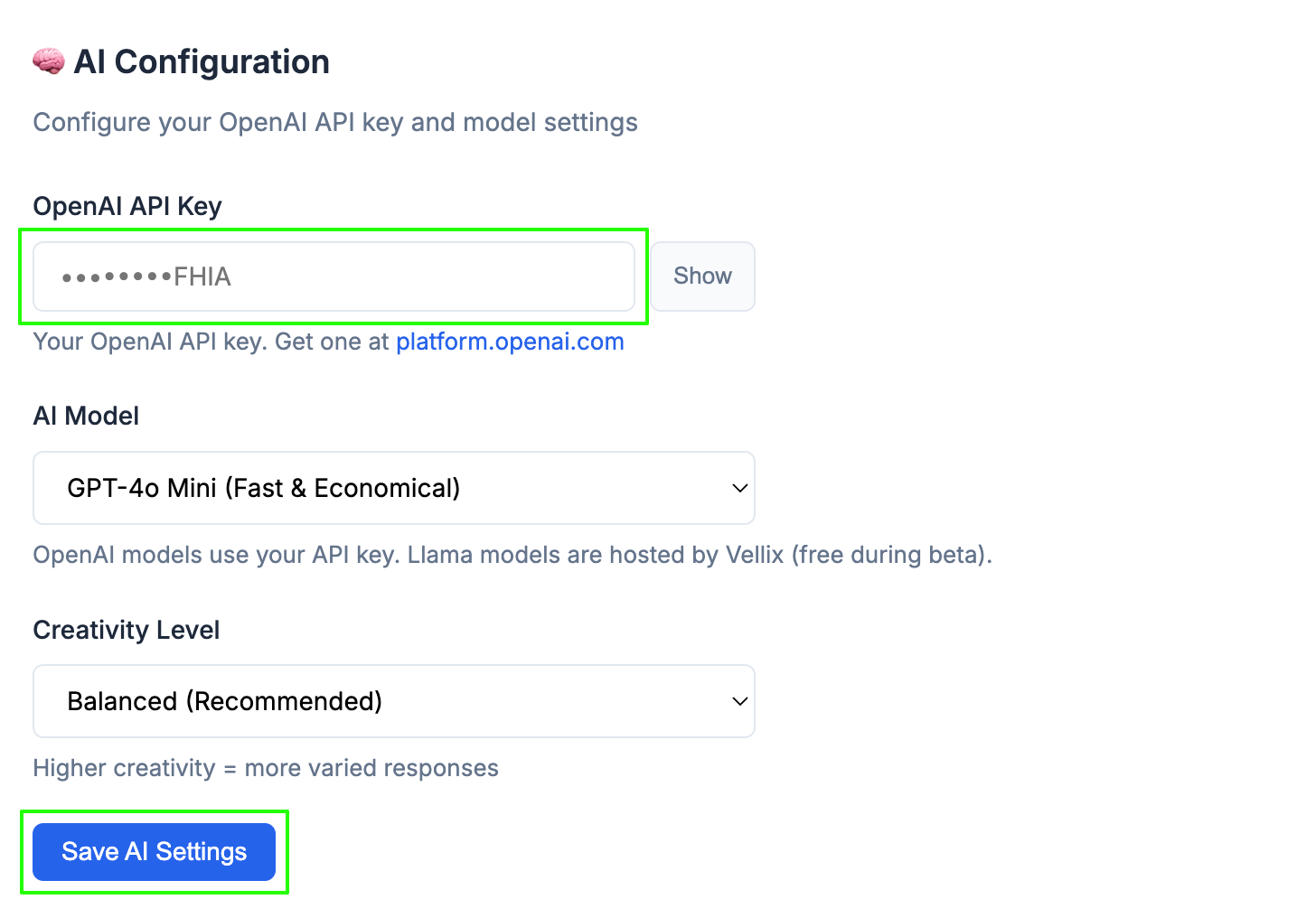
- To finish the setup, complete the Quick Start Wizard. And finally, obtain an OpenAI API Key and add it to your Vellix settings:
Note that, while you do not technically need to complete the Quick Start Wizard for the extension to load, it is strongly recommended to complete it before production use. Quick Start helps Vellix tailor suggestions to the customer’s brand voice, policies, company details, and support style. Without it, the extension can still run with default guidance, but suggestions will be less customized.
Regarding the OpenAI API Key → A newly created OpenAI key can work, as long as the OpenAI project has billing/credits enabled and access to the selected model. If the key is invalid, inactive, missing billing, or does not have access to the selected model, the OpenAI request can fail.
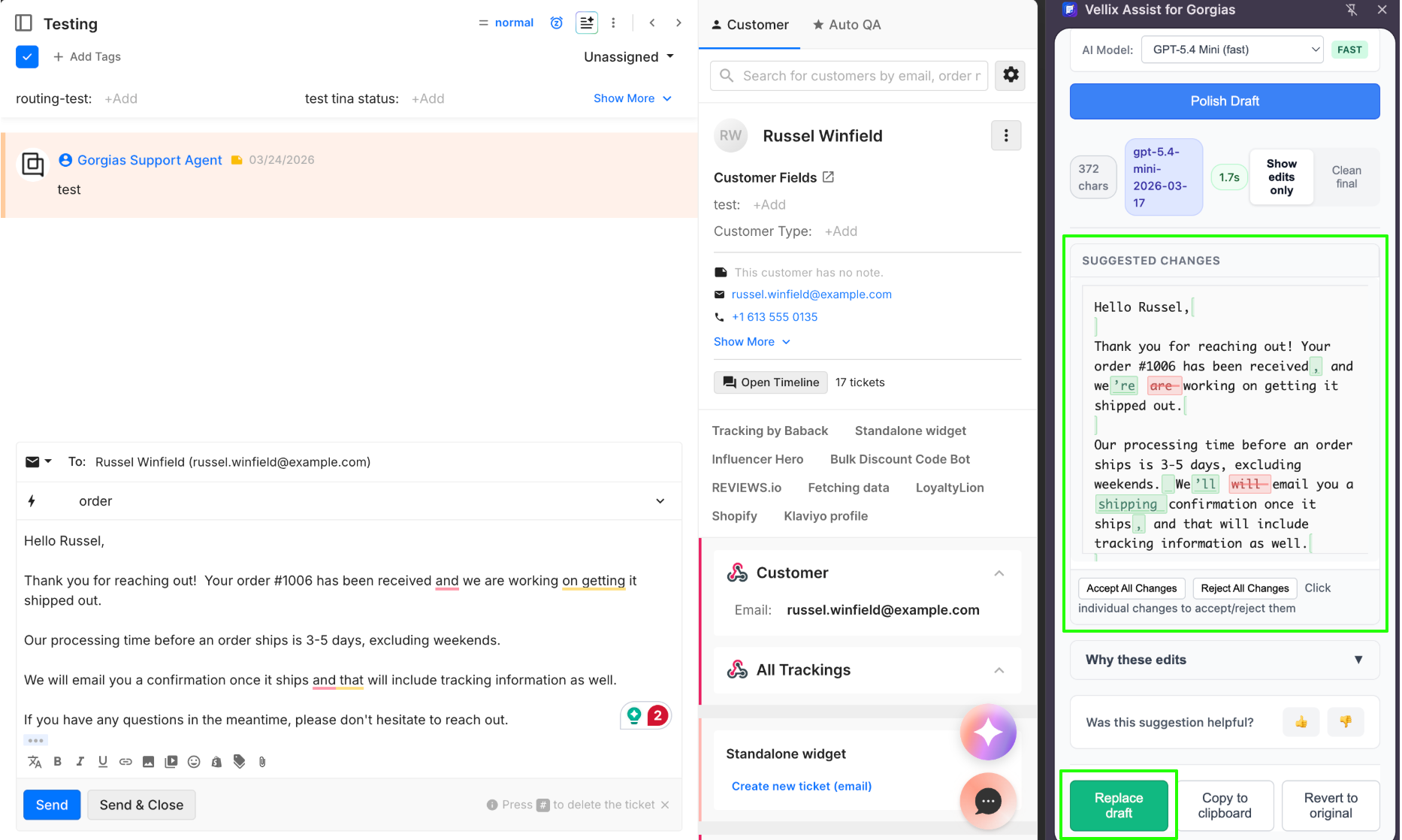
To use the integration, open any Gorgias ticket, type a draft reply in the composer, click "Polish Draft", review the suggested edits, and send the final reply from Gorgias: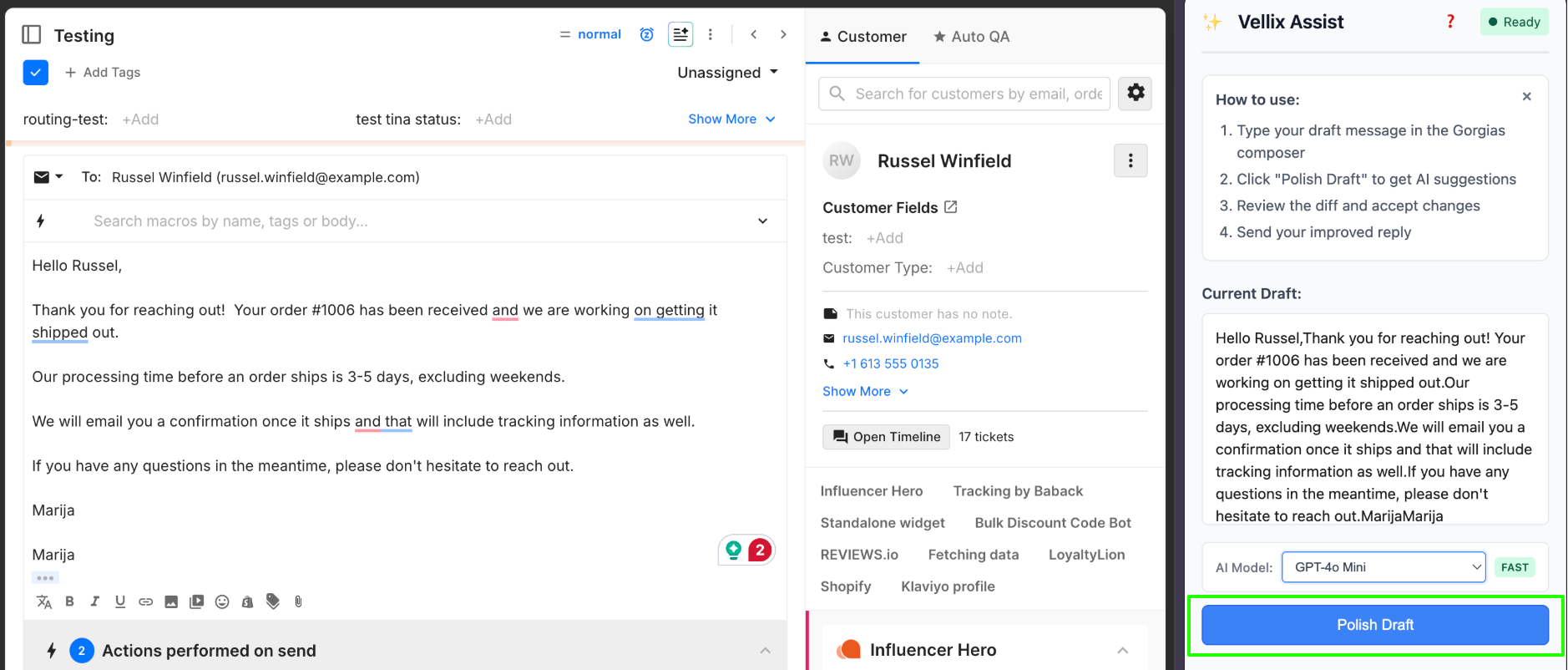
Check out Vellix’s official guide for potential troubleshooting steps.